Being struck by a moving vehicle remains one of the biggest causes of death at work. In Great Britain it caused 25 worker deaths in 2023/24, 18% of the total and second only to falls from height, according to HSE data. In Germany, DGUV statistics for 2022 recorded almost 20,000 reportable accidents involving industrial trucks, nearly 9,000 of them with forklifts.
Most warehouses and plants already have painted lines, mirrors and trained drivers. The question safety managers now face is which forklift anti-collision system to add, and the market does not make it easy. Vendors usually sell one technology and present it as the answer to everything.
This guide is deliberately brand-neutral. It compares the four approaches you are most likely to consider: UWB tags, AI cameras, floor projection and smart mirrors.
Start with the risk, not the product
Before comparing technologies, list where people and forklifts actually meet. For each point, note three things:
- Who is exposed: trained staff only, or also visitors, drivers from outside and contractors?
- What blocks the view: racking, doors, corners, the load itself?
- What the vehicle should do: warn only, slow down, or stop?
The answers usually point to different technologies for different parts of the same site. That is normal.
1. UWB tag-based proximity detection
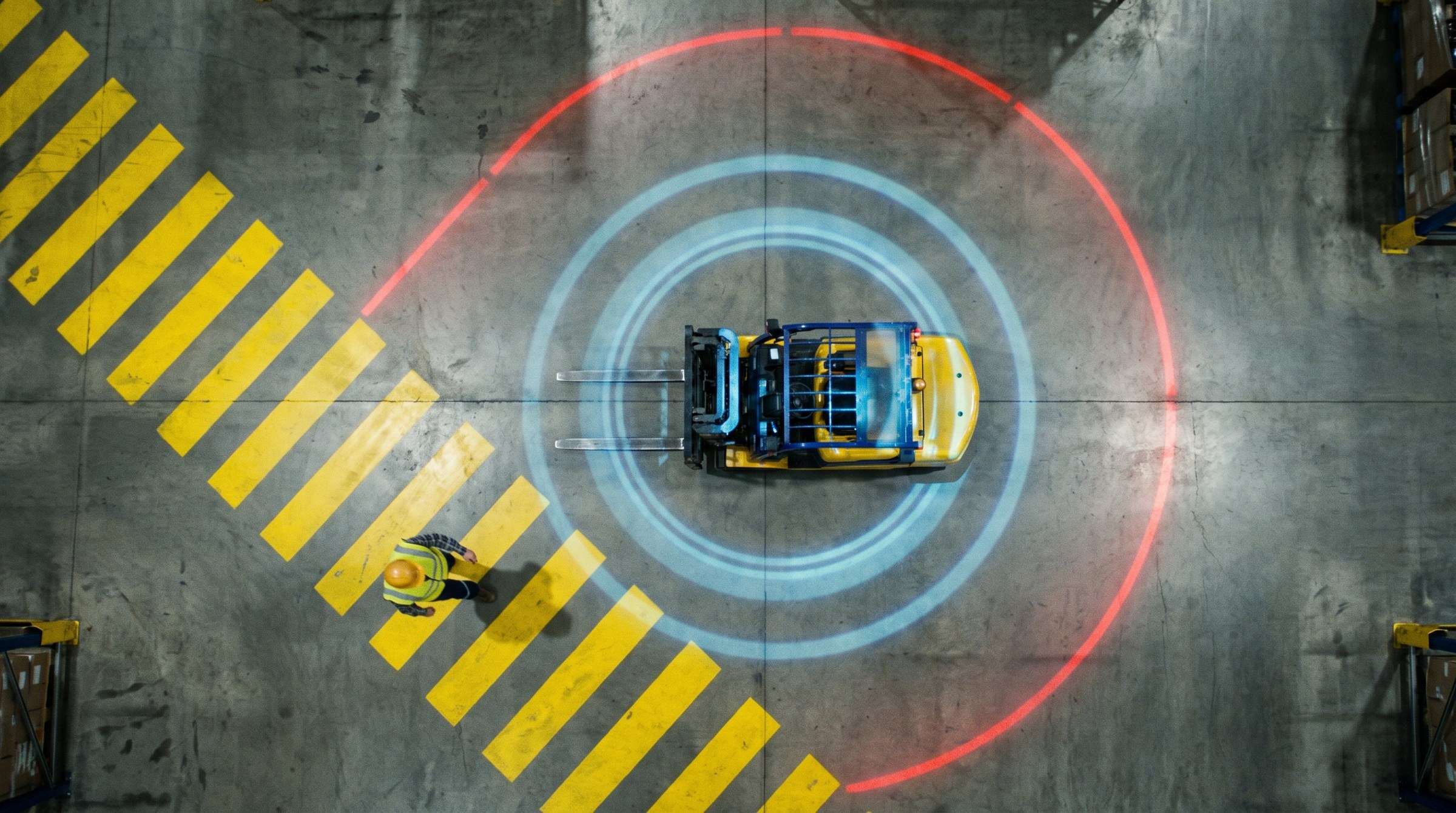
How it works. Pedestrians wear a personal tag, vehicles carry a vehicle tag, and Ultra Wide Band radio measures the distance between them. When the distance drops below a set threshold, the driver is warned and the truck can slow down automatically.
Strengths
- High accuracy for indoor positioning: up to 50 cm, better than Wi-Fi, BLE or GPS.
- Detection is based on distance between tags, so it helps at racks, doors and corners where nobody can see who is coming.
- Covers forklift-to-forklift risk as well as forklift-to-pedestrian.
- Can drive zone speed limits and switch on floor projectors as a truck approaches.
Limits
- It only protects people who wear a tag. Visitors without one are invisible to the system.
- It depends on daily discipline: tags must be worn, every shift.
Best for: sites with a stable workforce, dense racking and several trucks working near each other.
2. AI camera pedestrian detection
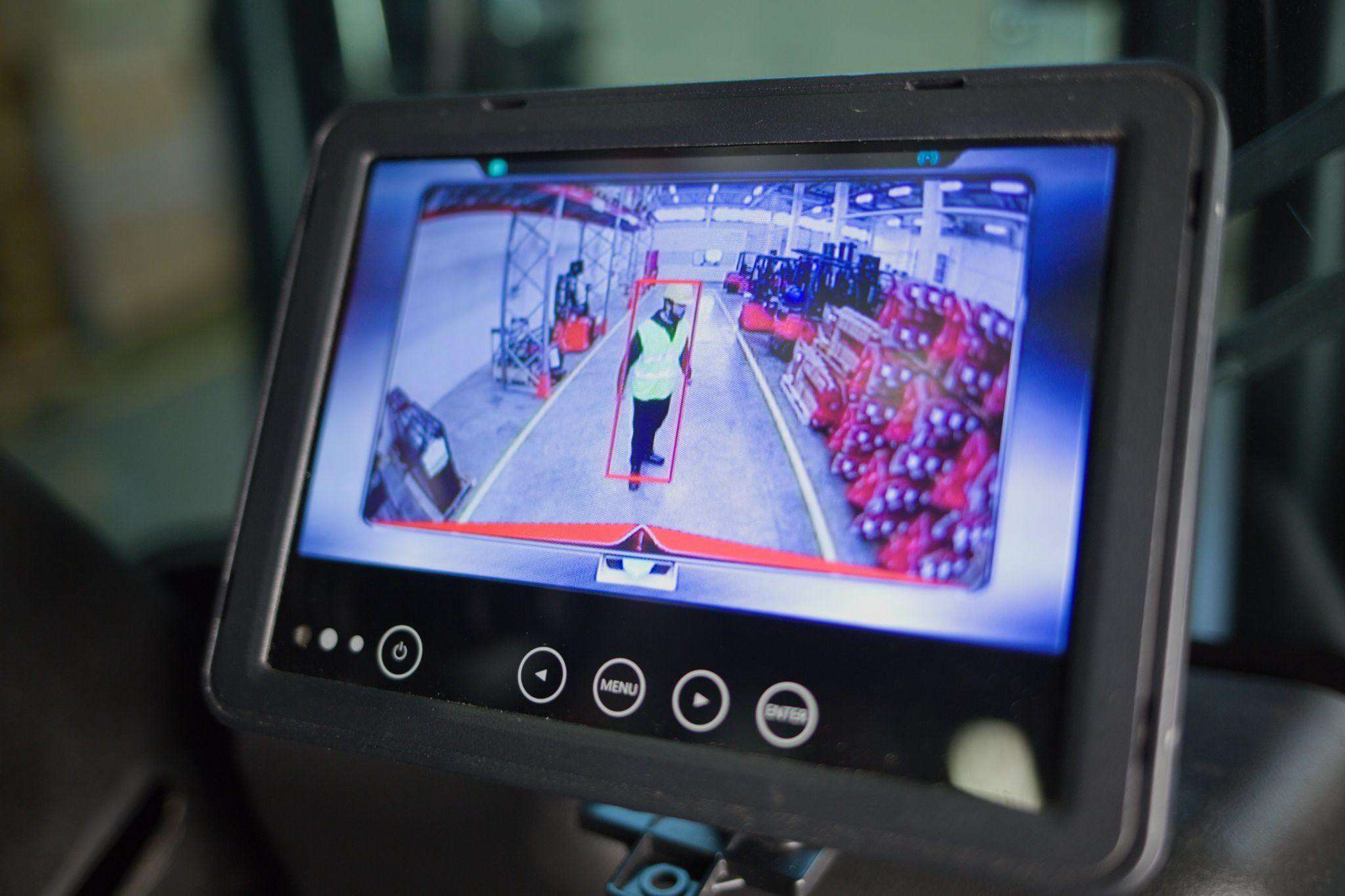
How it works. Cameras on the forklift run AI models that recognise people in defined zones around the truck. When a person enters the warning or danger zone, the driver gets a visual and acoustic alert and the truck can slow down or stop.
Strengths
- Nothing for pedestrians to wear. Anyone in the camera's field of view is detected, including visitors and contractors.
- AI separates people from objects, which reduces the nuisance alarms that plague simpler proximity sensors. False alarms matter: as one industry guide puts it, frequent false alarms lead to operator fatigue and disengagement.
- Zones can be shaped and adjusted from an app. Some systems detect people standing, kneeling, lying or moving, and can also protect crane load areas. See our forklift pedestrian detection camera page for the details.
Limits
- Cameras see what is in their field of view. A person hidden behind a rack end is not detected until they appear.
- Video raises data protection questions under the GDPR, which need to be handled from day one. We cover this in our GDPR checklist for AI cameras.
Best for: sites with mixed or changing foot traffic, reversing risks, and areas where tags are impractical.
3. LED floor projection
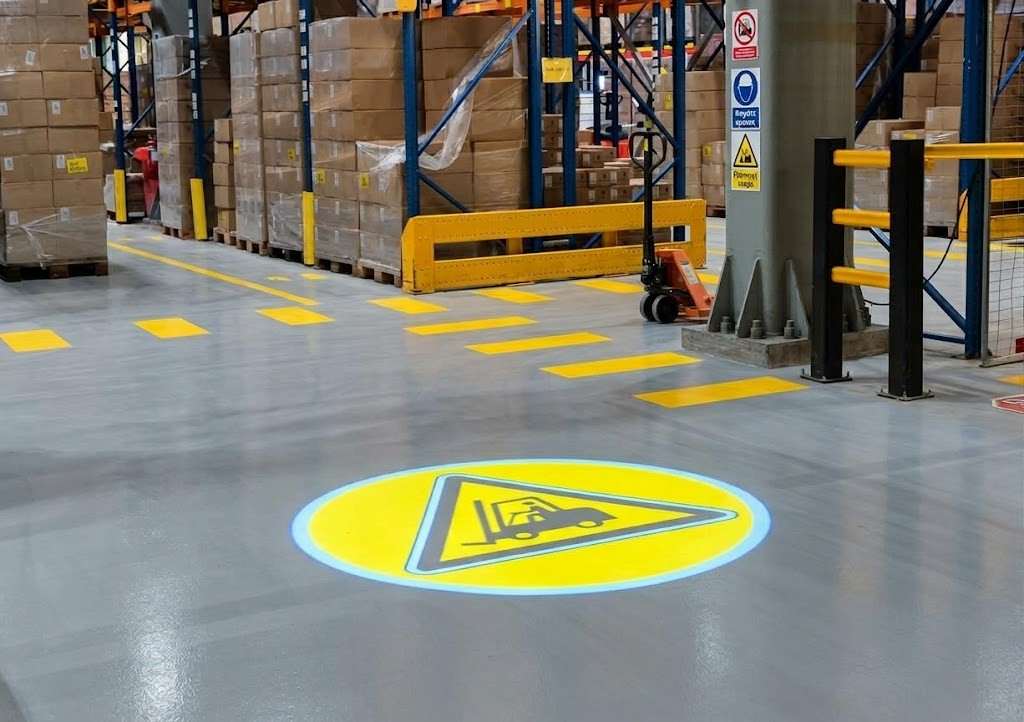
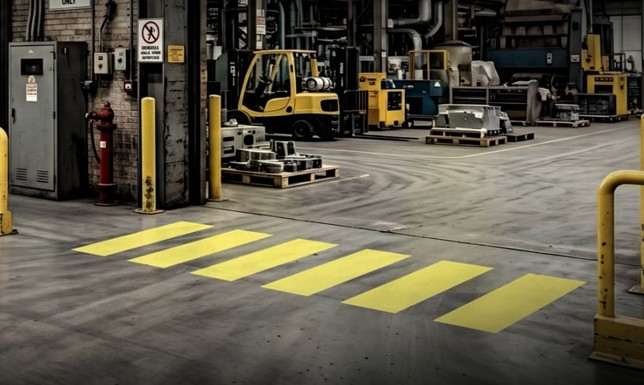
How it works. An industrial projector draws a sign, a crossing or a line on the floor in light. It can run permanently or switch on through detection.
Strengths
- Warns the pedestrian, not only the driver, exactly where they are looking.
- Does not wear off like paint, and stays visible on dirty floors.
- Linked to detection, it becomes a dynamic warning that appears only when a vehicle approaches. Read more about the LED floor projector and the virtual pedestrian crossing.
Limits
- On its own, projection does not know whether someone is there. It needs detection to become dynamic.
- It does not slow the vehicle down.
Best for: fixed hotspots such as doors, crossings, rack ends and loading docks.
4. Smart mirrors
How it works. A convex mirror with sensors detects pedestrians and vehicles and lights up to show the direction of approach. It can trigger a STOP projection on the floor.
Strengths
- Uses a format everyone already understands.
- Turns a passive mirror into an active warning at blind corners.
- Low disruption: often installed where a mirror already hangs. See the smart convex mirror.
Limits
- Protects one location, not a moving truck.
- Does not slow the vehicle.
Best for: individual blind corners and junctions.
Side-by-side
| UWB tags | AI camera | Floor projection | Smart mirror | |
|---|---|---|---|---|
| Who is warned | Driver and pedestrian | Driver | Pedestrian and driver | Both, at the corner |
| Pedestrian needs a device | Yes | No | No | No |
| Can slow the truck | Yes | Yes | No | No |
| Forklift to forklift | Yes | Limited | No | Partly, at the corner |
| Coverage | Every tagged person, site-wide | Zones around each truck | A fixed point | A fixed point |
Combining technologies
Effective set-ups usually layer technologies by risk:
- Site-wide: UWB tags or AI cameras on the trucks, with zone speed limiting in pedestrian areas.
- Hotspots: floor projection and smart mirrors at the doors and corners where incidents cluster.
- Foundation: clear industrial safety signage and marked walkways, which remain the baseline.
A common pattern is UWB for staff and forklift-to-forklift risk, plus an AI camera on trucks that work near visitor routes. Another is projection triggered by the same vehicle tags, so the floor warning appears only when a truck is actually coming.
Questions to ask any supplier
- How does the system tell a person from a rack or pallet, and how are nuisance alarms kept down?
- Can it be retrofitted to every truck type in our fleet?
- What happens at installation, and who calibrates the zones?
- What does the system record, where is it stored and for how long?
- Who supports it after go-live, and how?
Where to begin
Pick the one location that worries you most and treat it as a pilot. Measure how people and trucks really move there, choose the technology that fits, then extend it to the rest of the site. If you would like a second opinion, our free site survey assesses each point separately and shows you the result in a video simulation of your own space.